“Update” covers vast ground in Salesforce Commerce Cloud (SFCC). It can mean activating a new code version, reordering a cartridge path, updating a site preference, importing a refreshed product catalog, tweaking promotion qualifiers, or modifying a single content asset.
Each change type impacts the storefront through different layers of the platform architecture. The critical question for engineering and QA teams is not simply “did we test it?”, but “did we validate the exact architectural surface this specific change touches?”
1. Map the Change Surface First
Before clicking a single storefront button, verify the active state of the instance you are testing. In SFCC, a passing test on an un-updated code version or stale data model is the leading cause of false confidence.
| Change Type | Business Manager Verification Path | High-Risk Failure Modes |
|---|---|---|
| Code Version | Administration > Site Development > Code Deployment | Testing an inactive version; staging running last week’s build while production targets new code. |
| Cartridge Path | Administration > Sites > Manage Sites > [Site] > Settings | Misordered cartridges causing overridden ISML templates or controller scripts to resolve unexpectedly across the entire site. |
| Data Import | Merchant Tools > Site Import & Export or specific catalog pages | Catalog, price books, inventory, or promotions imported with schema validation warnings or missing product assignments. |
| Site Preferences | Merchant Tools > Site Preferences > Custom Site Preferences | Missing environment-specific API keys, incorrect service credentials, or misconfigured feature flags. |
| Page / Partial Cache | Administration > Sites > Manage Sites > [Site] > Cache | Cache not invalidated; testing stale responses or verifying fixes that haven’t actually propagated to edge nodes. |
Pro Tip on Site Cache: Always invalidate the page cache for your test site immediately after deploying code or importing data. Testing a page served from cache is the #1 reason broken releases pass QA and working releases appear broken.
2. The Core Transactional Smoke Path
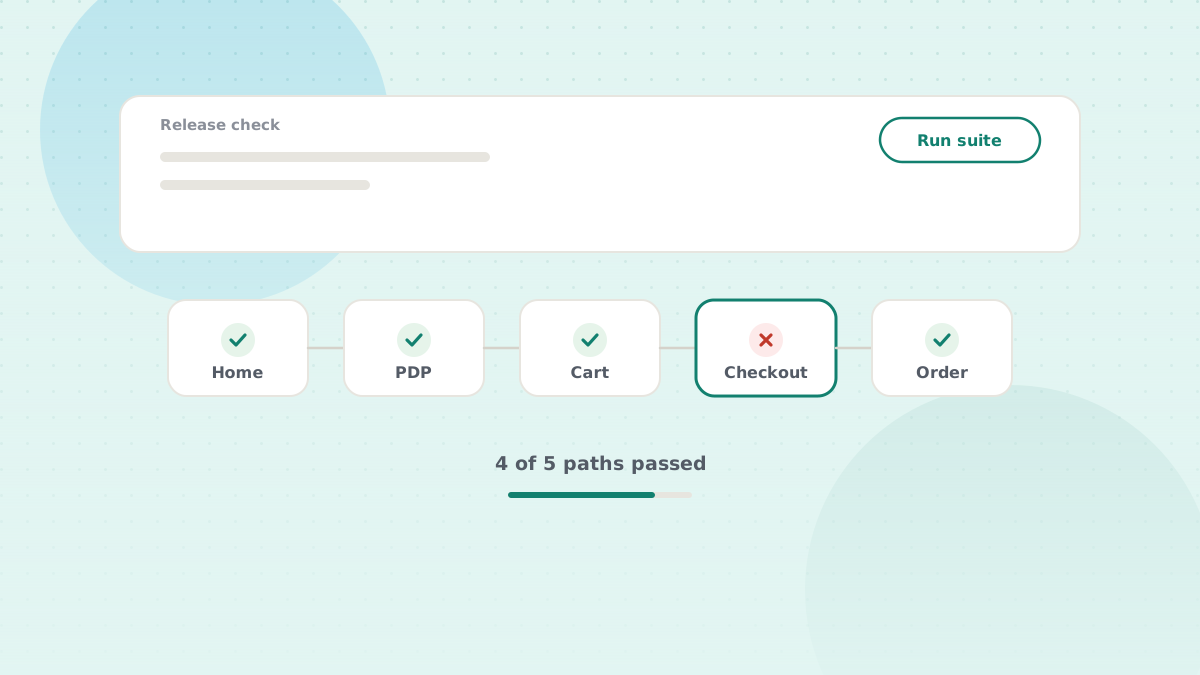
Regardless of the release scope, every deployment requires running the transactional spine of the storefront. This test is quick, deterministic, and fails loudly when foundational templates or controller pipelines break:
- Homepage & Navigation: Verify global header rendering, category flyouts, search input autocomplete, and footer link assets.
- Category / Search Results (PLP): Load a top-level category. Confirm product grid rendering, refinement facet filtering (size, color, price), pagination, and sort order.
- Product Detail Page (PDP): Test both a simple standalone SKU and a variation master with multiple attributes (size, color, width). Verify price book calculation, inventory availability messaging, and product image gallery swapping.
- Cart Operations: Add products to cart, increment quantity, update variation attributes in-cart, remove an item, and apply a test promotion coupon code.
- Guest Checkout Flow:
- Shipping address validation (postal code lookup).
- Shipping method selection and rate recalculation.
- Sandbox payment processing (credit card 3DS challenge, PayPal/Apple Pay sandbox).
- Order review and submission to order confirmation receipt.
- Registered Customer Flow: Account sign-in, saved address pre-fill, profile edits, and order history lookup.
Testing Beyond the Default Locale
If your storefront operates across multiple sites, currencies, or locales (e.g., en_US, de_DE, fr_FR), never conclude testing on default English alone:
# Verify raw HTTP status and cache headers across locales with curl:
curl -I -s -A "Mozilla/5.0" "https://staging.yourbrand.com/on/demandware.store/Sites-YourSite-Site/de_DE/Home-Show" | grep -E "HTTP/|x-dw-|x-sf-cc"
A controller or ISML template change that runs cleanly on the default locale can trigger an unhandled exception when resolving a missing locale-specific resource bundle or currency formatting rule.
3. Where SFCC Breaks Quietly (The Hidden Failures)
The production bugs that harm revenue rarely crash the storefront with an HTTP 500 error. Instead, they manifest in background processes, indexing drift, and subtle caching bugs:
Search and Indexing Drift
A catalog import or attribute definition update does not immediately reflect on the storefront. Until the search index is rebuilt under Merchant Tools > Search > Search Indexes, newly imported products may be online, orderable, but completely invisible in search and category pages.
Over-Aggressive Caching & Personalization Leaks
ISML caching directives (<iscache>) control time-to-live at the page and component level.
<!--- Anti-Pattern: Caching dynamic user-specific content --->
<iscache type="relative" hour="24" />
<div class="user-welcome">Hello, ${pdict.CurrentCustomer.profile.firstName}!</div>

<!--- Best Practice: Isolate dynamic components or disable cache --->
<iscache type="relative" hour="0" />
If a developer places an aggressive cache directive on a template containing personalized customer data or geolocation logic, the first shopper’s session details can be cached and served to every subsequent visitor.
Promotion and Ranking Collisions
Promotions interact in non-obvious ways. A new tier discount (Buy 2 Get 20% Off) may unintentionally combine with an existing brand exclusion rule or coupon code.
Always test:
- The newly updated promotion.
- An existing active promotion alongside it to ensure exclusivity rules and promotion ranking (
Merchant Tools > Online Marketing > Promotions) operate as designed.
Content Assets vs. Content Slots vs. ISML Templates
When a banner or promotional block renders improperly on the storefront, troubleshooting usually wastes time determining who owns the markup:
- ISML Template: Hard-coded structural markup governed by developers in the cartridge repository.
- Content Slot: Dynamic rendering container defined in template code, configured in Business Manager (
Merchant Tools > Online Marketing > Content Slots). - Content Asset: Raw HTML, text, or rich media authored by merchandisers (
Merchant Tools > Content > Content Assets).
Using DWithEase: Instead of inspecting DOM trees or guessing cartridge paths, toggle the Highlight Content shortcut in the DWithEase Business Manager toolbar. It visually highlights all active slots and assets directly on the live storefront, letting you jump straight into the corresponding Business Manager record with a single click.
4. Environment Parity: “Works on My Sandbox”
Testing on a local On-Demand Sandbox (ODS) with twenty mock products and no active third-party integrations does not prove readiness for production.
| Test Environment | Best For | Limitations |
|---|---|---|
| Developer Sandbox | Rapid feature iteration, ISML layout tuning, controller logic debugging. | Small mock catalog; no real payment gateway traffic; empty promotion rules. |
| Shared Staging Instance | Full end-to-end regression, tax calculations, payment gateway webhooks, inventory sync jobs. | Shared environment; potential collisions with concurrent developer releases. |
| Production Preview | Final pre-go-live sanity check with real production catalog data and live cache clusters. | Live environment; orders must be carefully placed using test credentials or canceled immediately. |
When reporting test results in pull requests or release notes, always declare the exact test environment: “Validated on Staging (Build 24.8.2) with full catalog data sync”, not “Tested locally”.
5. What to Automate vs. What to Keep Manual
Running a 40-step manual checklist for every deployment consumes hours of engineering time each week. Under deadline pressure, manual checklists inevitably get truncated—testers verify checkout on desktop and skip mobile, or test the primary locale and skip secondary markets.
The proven strategy of high-performing SFCC teams separates testing into two distinct tracks:
┌─────────────────────────────────────────────────────────────┐
│                    SFCC TESTING STRATEGY                    │
├──────────────────────────────┬──────────────────────────────┤
│    AUTOMATED REGRESSION      │     HUMAN EXPLORATORY        │
│   (Runs on every deploy)     │    (Focuses on new UX)       │
├──────────────────────────────┼──────────────────────────────┤
│ • Smoke path end-to-end      │ • Visual polish & animation  │
│ • Guest & user checkout      │ • Edge-case customer flows   │
│ • Coupon application tests   │ • Complex promotion mixes    │
│ • Multi-currency rounding    │ • Third-party tag validation │
│ • Service endpoint health    │ • Device ergonomic testing   │
└──────────────────────────────┴──────────────────────────────┘
Automating your baseline regression suite ensures that every release satisfies the transactional requirements, freeing your team to focus on the nuanced customer experience.
Post-Deployment Release Checklist
Before marking any SFCC release ticket as resolved, verify these final operational checks:
- Active Code Version: Verified under
Administration > Site Development > Code Deployment. - Cache Invalidated: Cleared site page cache on target instance.
- Search Indexes: Rebuilt and validated index status (
Merchant Tools > Search > Search Indexes). - Transactional Spine: Successfully completed guest checkout to order receipt page.
- Error Logs Monitored: Inspected recent log files under
Administration > Site Development > Development Setup > Log Files(error-*,customerror-*) for unhandled exceptions. - Third-Party Services: Verified active service status for payment, tax, and inventory feeds under
Administration > Operations > Services.